
Get cited by ChatGPT, Claude and Perplexity.
AI answers pick brands from sites that pass 44 small checks, publish the right files and earn the right links. The toolkit finds each gap, fixes it, and shows you when the engines start naming you.
Free: 1 site, 3 questions, checked weekly in Perplexity, GPT and Gemini. No card.
Real report, no sign-up
Audit of advancelabs.dev: 86 → 100 out of 100
Before and after we fixed it, 25 pages, latest run Nov 8, 2026. Read the ranked fixes before you audit your own site.
Working from an AI client? Connect the MCP

Working from an AI client?
Let your agent set it up
Pick your client, copy the prompt and paste it in. Your agent adds the servers, walks you through the sign-in and checks the connection with free calls. It spends nothing until you say go. All servers and tools
Set me up on AEO Toolkit. You are running inside Claude Code; if you are not, say so and stop. Follow the steps in order. Setup spends nothing, and you wait for my "go" before any tool that does.

AEO Toolkit checks whether AI answer engines (Perplexity, GPT with live web search, Gemini) name a business when buyers ask about its market, and audits the site's on-page AEO score.

## 1. Install

- aeo-toolkit: https://aeo.advancelabs.dev/api/mcp/toolkit/mcp (5 tools, sign-in required: I sign in to my AEO Toolkit account; no API key. Checks are saved to my dashboard.)
- aeo-backlink: https://aeo.advancelabs.dev/api/mcp/backlink/mcp (7 tools, no sign-in.)
- aeo-search: https://aeo.advancelabs.dev/api/mcp/search/mcp (20 tools, sign-in required: I connect my own Google account in the browser. Optional; skip it if I do not use Search Console or GA4.)

Run these in the terminal, one per server:

```sh
claude mcp add --transport http aeo-toolkit https://aeo.advancelabs.dev/api/mcp/toolkit/mcp
claude mcp add --transport http aeo-backlink https://aeo.advancelabs.dev/api/mcp/backlink/mcp
claude mcp add --transport http aeo-search https://aeo.advancelabs.dev/api/mcp/search/mcp
```

Ask before you edit any file or setting on my machine. Never write an API key into a file.

Then confirm the install. Run `claude mcp list`. Each server should be listed; "needs authentication" is expected before sign-in. Report it as "installed" and nothing more.

## 2. Sign in

Ask me to run `/mcp` in Claude Code and choose Authenticate on aeo-toolkit. My browser opens the AEO Toolkit sign-in and a consent page. If the tools do not appear afterwards, ask me to restart Claude Code.

Sign-in is OAuth in my browser: I approve once on a consent page and the client stores the token. You never see my password or token. Never ask me to paste a key or token into this chat. A connected server is not proof that this session can use its tools, so treat sign-in as its own step and report it separately.

## 3. Verify with free calls only

Call `list_workspaces` on aeo-toolkit. It is read-only and uses no checks. If I connected Google, you may also call `list_gsc_sites`. If `list_workspaces` shows more than one workspace, ask which to use and pass it as the `workspace` argument. If the tool is missing, the session needs a reload: ask me to reload the client, then try once more. If it still fails, show me the error and stop.

Report three separate results: installed, signed in, verified. Do not merge them.

## 4. Hand off, then wait

Use this report exactly, fill only the angle brackets, and add nothing:

```
AEO Toolkit setup
Installed: <yes or no, servers added>
Signed in: <yes or no, workspace and plan>
Verified: <yes or no, which free call worked>
Checks left this month: <n of limit>

Recommended first step: a site audit of your domain. Cost: 0 checks, 1 audit.
Reply "go" and give me your domain.
```

Then stop. Call no other tool of these servers until I reply "go".

## 5. After I say go

Run the recommended step on my domain and report the AEO score, the grade and the top fixes. Report only what the tools returned. If a call fails, show the error. Never invent results.

Anything beyond that step spends more, so ask first and name the cost. Tools that spend:

- `check_ai_visibility`: monthly checks (prompts x engines)
- `get_visibility_report`: monthly checks (prompts x engines)
- `discover_ranking_prompts`: one monthly prompt suggestion
- `analyze_website_aeo`: one monthly audit
- `find_prospects`: the daily web-search budget
- `find_mentions`: the daily web-search budget
- `generate_outreach_email`: needs my own provider key in chat, so never call it
- `find_competitor_link_sources`: the daily web-search budget

Full playbook if you need more detail: https://aeo.advancelabs.dev/setup.md
From a URL to a brand AI names
An AEO lab for
your marketing team.
Search moved into the answer. You don’t need an agency to see where you stand: audit the site, ship the fixes, and measure whether the engines start naming you.
01 /Crawl and score
Find why AI answers skip you.
Crawl up to 50 pages and score them against 44 technical SEO and AEO rules. Every failing check comes back ranked, with the page it failed on and the fix that clears it.
Explore audit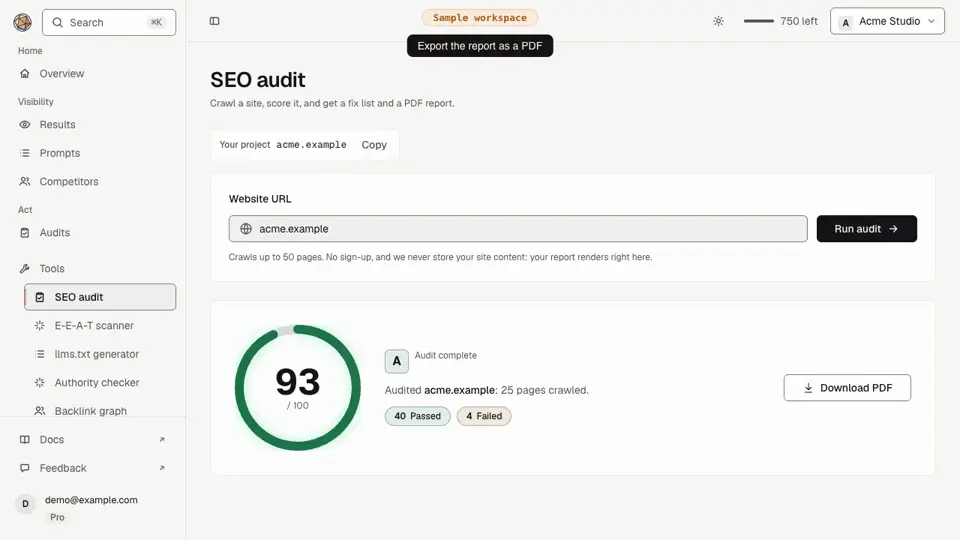
02 /Make pages citable
Turn findings into pages engines can cite.
Generate the files and markup answer engines read first. llms.txt from your own sitemap, schema that validates, and content fixes in the order that moves the score.
Explore fix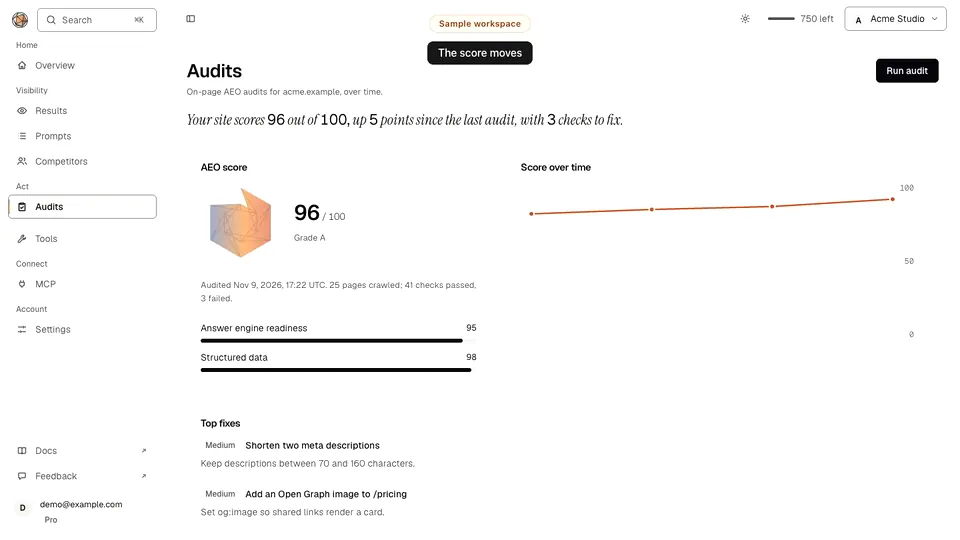
03 /Measure citations
See who AI recommends, and whether it is you.
Ask the engines the questions your customers ask, and see which brands they name. Then read your own GA4 and Search Console data in plain language, with your own key.
Explore track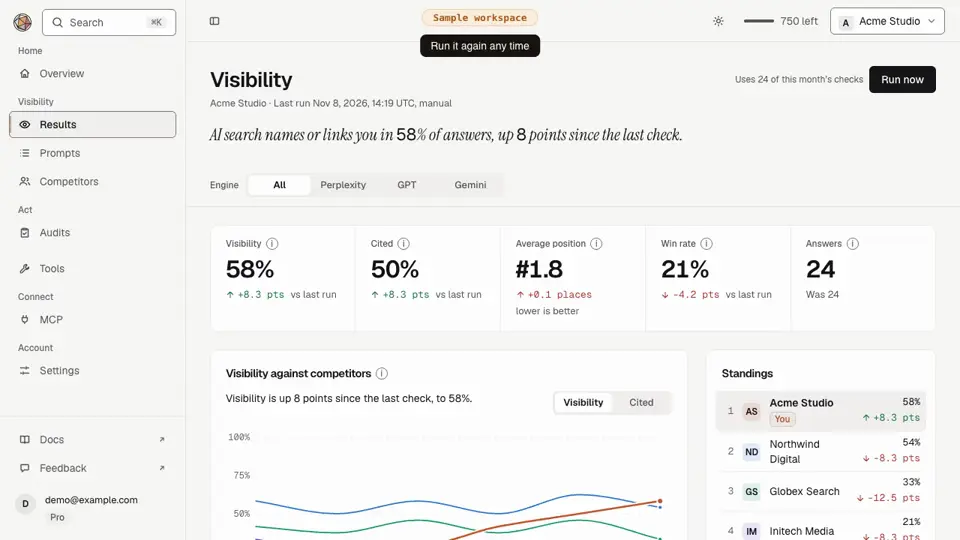
04 /Earn authority
Earn the authority citations follow.
Engines cite sources other sources trust. Check any domain’s authority, map who links to you in 3D, and find the pages that should link to you next.
Explore grow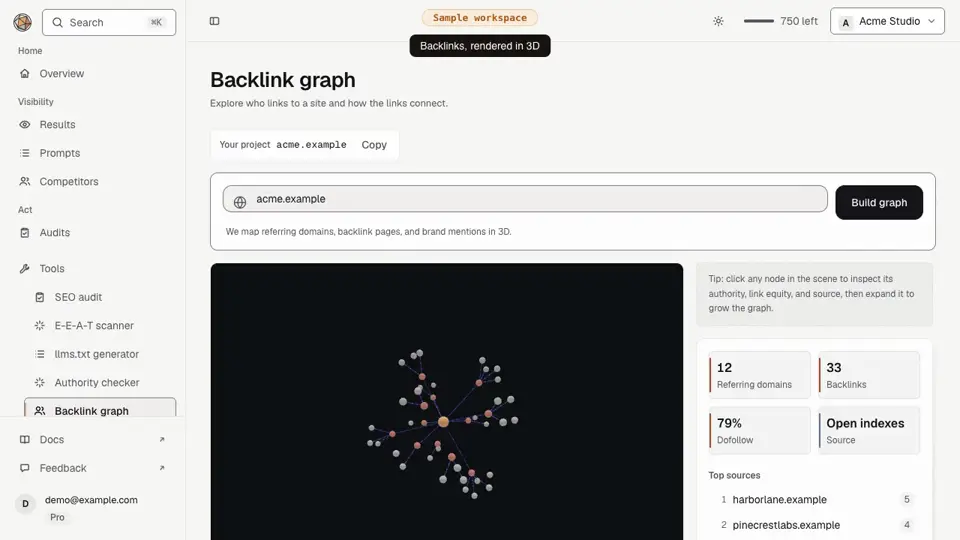
Every facet is a rule
44 small things.
These checks are the open half of our open core: the scoring engine is Apache-2.0, on GitHub and npm. Pick a category and flip through them: what each one looks at, why an answer engine cares, and the fix.
Whether an AI engine can lift a clean answer from the page, and has a reason to cite it.
Built to be checked, not trusted
Open core, hosted console
The audit engine and npm packages are Apache-2.0 on GitHub, so you can read and run every free rule. The console and MCP servers are hosted by us.
Your keys, your data
Model calls run on your own API key. Google access is read-only. We never train on anything you connect.
Deterministic scoring
44 published rules, the same weights every run. A score change means the site changed.
Questions, answered
What is Answer Engine Optimization (AEO)?
Answer Engine Optimization is the practice of structuring your site so AI answer engines (ChatGPT, Claude, Perplexity, Gemini, and Google AI Overviews) can find, trust, and cite your content. Unlike classic SEO, which optimizes for blue-link rankings, AEO optimizes for being quoted directly inside AI-generated answers.
How is AEO different from SEO?
SEO aims to rank a page in search results; AEO aims to get your content cited inside an AI answer. AEO leans more on machine-readable structure (JSON-LD, llms.txt), demonstrable E-E-A-T, and short, extractable answers that a model can lift verbatim. Strong SEO still helps, but it is not sufficient on its own.
Does llms.txt actually help AI visibility?
llms.txt is an emerging convention that gives AI crawlers a curated map of your most important pages, much like a sitemap tailored for LLMs. It helps answer engines discover and prioritize your best content. The AEO Toolkit generates a structured llms.txt (and optional llms-full.txt) from your sitemap automatically.
What is a good E-E-A-T score?
E-E-A-T stands for Experience, Expertise, Authoritativeness, and Trust. There is no single official number, but higher is better across all four pillars. The E-E-A-T Scanner scores each pillar page by page and shows the exact signals, author bylines, citations, credentials, and trust markers, that each page is missing.